berlian 33 Casino & Sportsbook Mobile App
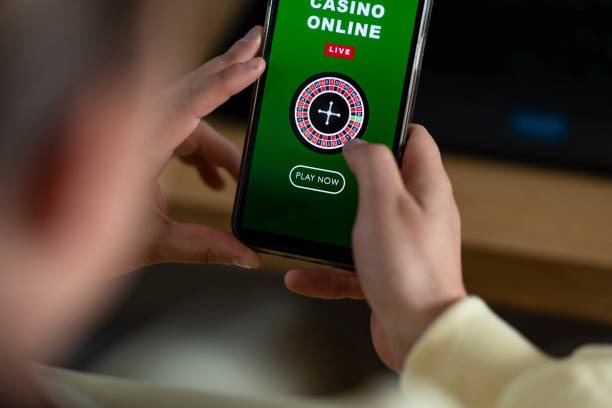
Most of our users access berlian 33 from a phone. Whether you're checking live football odds during a match in Jakarta, placing a quick bet on Liga 1 from Surabaya, or playing a slot game on your commute, the mobile experience is where we focus our effort. We've built berlian 33 to work seamlessly on Android and iOS devices, with fast load times, secure login, and push notifications that keep you updated on live events.

- SHA256 Match
- and
- LoginOTP Verification
Our berlian 33 platform offers three ways to access your account on mobile: download the Android APK directly to your device, use your iOS browser to access our web app, or install our progressive web app (PWA) on any smartphone. Each path is straightforward and takes just a few minutes. We handle account security, payment processing, and customer support the same way across all three — so your experience is consistent whether you're on Android, iPhone, or a tablet.
This guide walks you through installation, explains the differences between each access method, and covers common questions about permissions, data usage, and account recovery. If you're new to berlian 33, start here. If you're already a member and want to switch devices or troubleshoot an issue, you'll find practical steps below.
How to access berlian 33 on your phone
We offer three installation paths for berlian 33. Choose the one that suits your device and preference. Android users can download our APK file directly; iOS users can bookmark our web app or add it to their home screen; and anyone with a modern smartphone can install our PWA, which works offline and sends push notifications. All three methods connect to the same berlian 33 account, so your balance, history, and settings sync instantly.
Installation steps for berlian 33
- Download: Choose your method above and follow the link to download the APK file (Android) or bookmark the web address (iOS / web).
- Install: On Android, open your file manager, find the APK, and tap to install; on iOS, tap "Add to Home Screen" from the share menu; on web, simply open the link in your browser.
- Register or log in: Open berlian 33, enter your phone number or email, and complete the quick registration or sign in to your existing account.
- Start playing: Add a payment method (DANA, e-wallet, mobile banking, or bank transfer), make your first deposit, and browse our football, live-dealer, and slot categories.

Android APK vs iOS browser vs web app
Each access method has strengths. The Android APK installs directly on your device, so it loads faster and can cache game data for offline browsing — useful if your connection drops during a match. Push notifications alert you to game information changes and promotional updates. The iOS browser method works on any iPhone or iPad without installation; just bookmark the page and you're ready. Our PWA (web app) combines the best of both: it installs like an app, sends notifications, and works offline, but requires no APK download or app-store approval. Choose Android APK if you want the fastest performance and offline features; choose iOS browser if you prefer simplicity; choose PWA if you want app-like behavior without installation friction.
Device compatibility for berlian 33
Our berlian 33 platform supports Android 7.0 and later, iOS 12 and later, and any modern mobile browser (Chrome, Safari, Firefox, Edge). If your device is older than these versions, we recommend updating your operating system or using a newer device. Most smartphones sold in the last five years meet these requirements. If you're unsure whether your device is compatible, try opening berlian 33 in your browser first — if it loads, your device is ready for the full app experience.
Enable unknown sources on Android
To install the berlian 33 APK, your Android device must allow installation from unknown sources. Go to Settings → Security → Unknown Sources and toggle it on. This is a standard Android security setting and does not affect your device's safety.
Troubleshooting common installation issues
If the APK download fails, check your internet connection and try again from a different network (WiFi vs mobile data). If installation stalls, restart your device and clear your browser cache. On iOS, if the web app won't add to your home screen, make sure you're using Safari (not Chrome) and that you have enough free storage. If you see a certificate warning, this is normal for our berlian 33 domain — tap "Continue" or "Trust" to proceed. If push notifications don't arrive, check your phone's notification settings and ensure berlian 33 has permission to send alerts. For persistent issues, contact our support team via the Help Center in the app or on our website.
Data, permissions, and account security on berlian 33
When you install berlian 33, we ask for permission to access your phone's storage (to cache game data), location (to verify your jurisdiction), and notifications (to alert you to live events). We never sell your data or share it with third parties outside our payment and support partners. Your account is protected by encryption, and your payment details are processed through secure gateways (local payment, online payment, e-wallet, mobile banking, local payment, and bank transfers). If you lose your phone, you can recover your berlian 33 account by logging in from another device with your email or phone number. We recommend enabling two-factor authentication in your account settings for extra security.
Mobile-first design means berlian 33 works best on the device you carry every day — fast, secure, and always in sync with your account.
Getting help with berlian 33 on mobile
Our support team is available to help with installation, account recovery, payment issues, or any other question about berlian 33. You can reach us through the Help Center link in the app, via email, or through our contact form on the website. We respond to most inquiries within standard business hours. If you're locked out of your account, we can verify your identity and restore access quickly. For urgent issues, check the FAQ section in the app — many common questions are answered there. We also publish guides and troubleshooting articles on our website to help you get the most from berlian 33.
Why berlian 33 prioritizes mobile
Most of our users in Jakarta, Surabaya, Bandung, and Medan access berlian 33 from their phones. We've invested in mobile performance because that's where the experience matters most — whether you're watching a live Liga 1 match, checking odds on Piala AFF fixtures, or playing a quick slot game between tasks. Our berlian 33 app is built to handle slow connections, save battery, and keep your account secure even on public WiFi. We test every update on real devices to ensure it works smoothly for you. If you have feedback on the mobile experience, we welcome it — your input helps us improve berlian 33 for everyone.
Jurisdiction and service availability
berlian 33 services are available only in jurisdictions where local law permits online gaming and sportsbook activity. Before you download the app or create an account, verify that access to berlian 33 is legal in your location. We do not offer our services in jurisdictions where online wagering is prohibited. Users are responsible for confirming that their use of berlian 33 complies with their own jurisdiction's laws. If you're unsure, contact our support team or consult local regulations. Our platform respects geographic restrictions and will not allow access from blocked regions.
Next steps with berlian 33
Once you've installed berlian 33 and logged in, explore our game categories — football betting, live-dealer tables (blackjack, roulette, baccarat), slots (Aviator, Sweet Bonanza, Gates of Olympus), and esports markets. Add a payment method (online payment, e-wallet, mobile banking, local payment, online payment, or bank transfer) to fund your account. Check out our Help Center for guides on how each game works, payment processing times, and account settings. Enable push notifications so you don't miss game information updates or promotional offers. And remember — our support team is here if you have any questions about berlian 33.